The flag list
Overview
This topic explains how to use the feature flags list, which shows your feature flags and gives you options to create, modify, and manage them.
Viewing feature flags
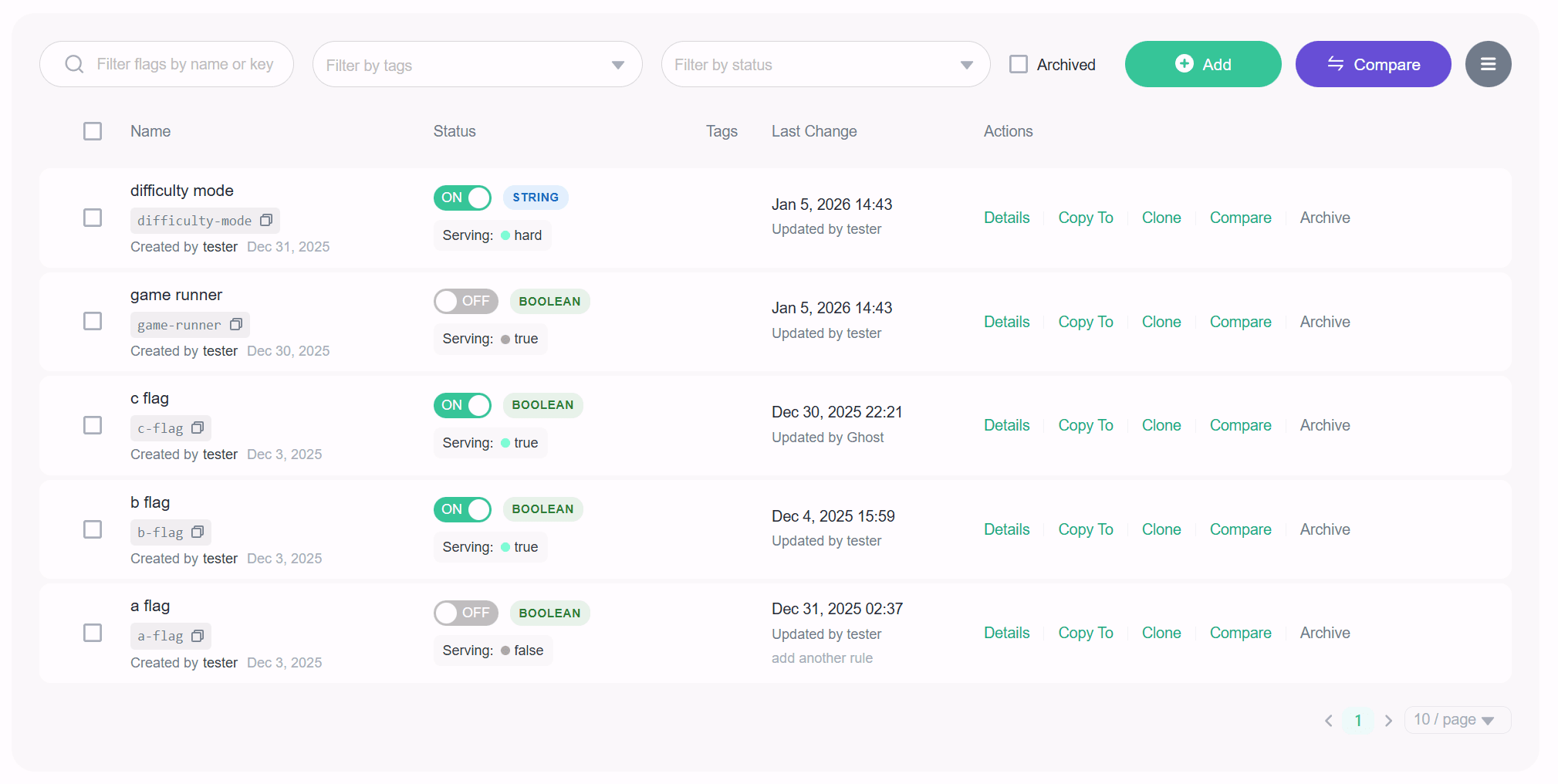
All of your feature flags within an environment appear on the flags list. Creating a new flag adds it to the list, and archiving a flag removes it from the list. You can use the search bar to find a flag by name, key, tag, or status. By default, the archived flags will not be shown in the list. To view them, you need to check the Archived checkbox.
Here is an image of the feature flags list:
Sort feature flags
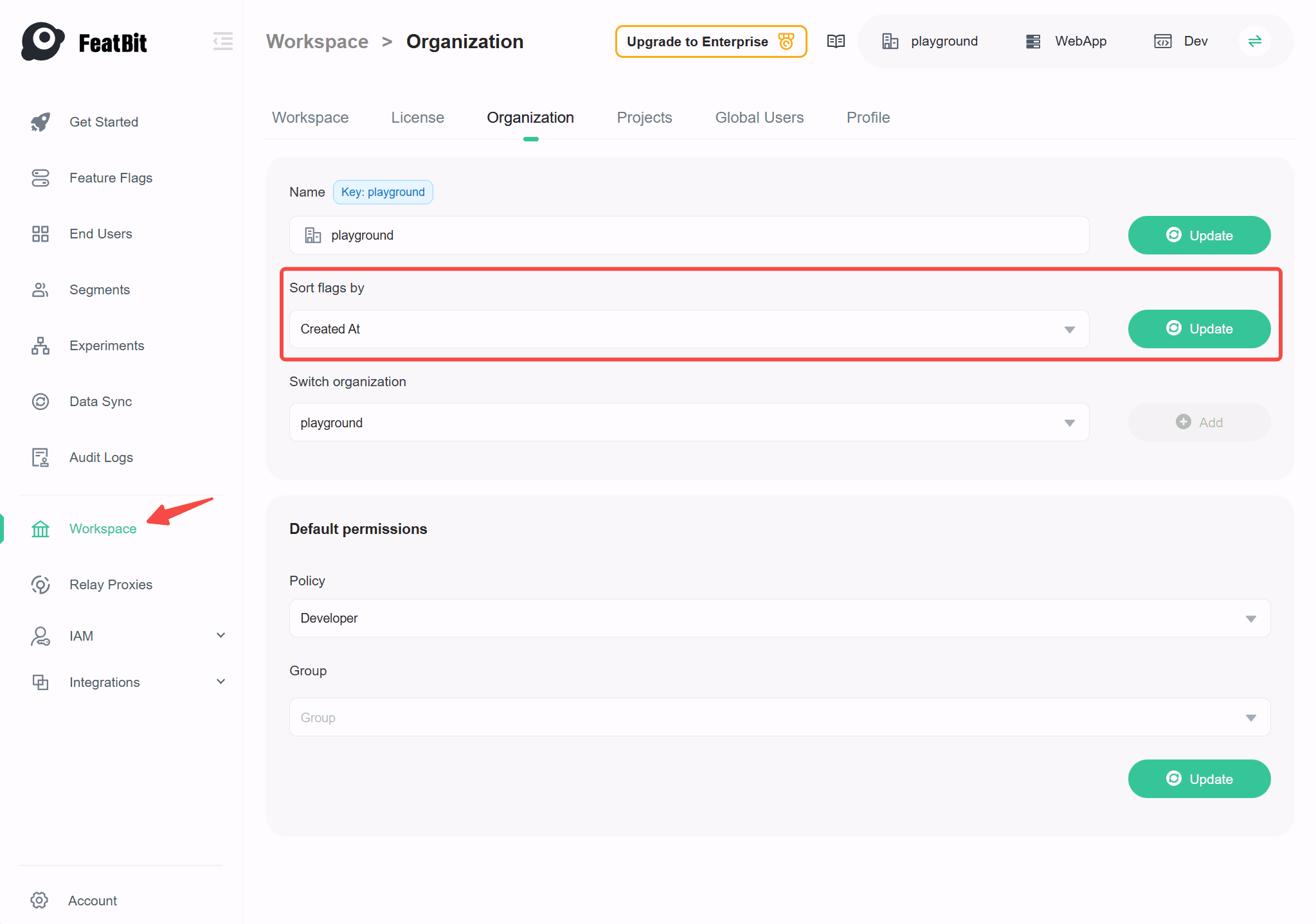
By default, the most recently created flags appear first, and you can configure this default sorting behavior at the organization level. We currently support two sorting options:
- Recently created: Flags are sorted based on their creation date, in descending order.
- Key Alphabetical order: Flags are sorted in alphabetical order based on their keys, in ascending order (a to z).
Here is an image showing how to configure the default sorting behavior: